


















Integrate Dayforce with HappyFox Help Desk

What This Means For Your Teams
IT Support Teams
Managing internal employee tickets with current contact data.
HR Departments
Maintaining consistent employee information across platforms.
Help Desk Administrators
Reducing manual contact management and data entry tasks.
Customer Service Managers
Ensuring agents access accurate employee directory information.


Automated Contact Synchronization
- Sync employee data to HappyFox contacts daily
- Trigger manual syncs on-demand in a click
- Update existing contacts or add new ones
- Access synced contacts from Contacts module
Flexible Field Mapping
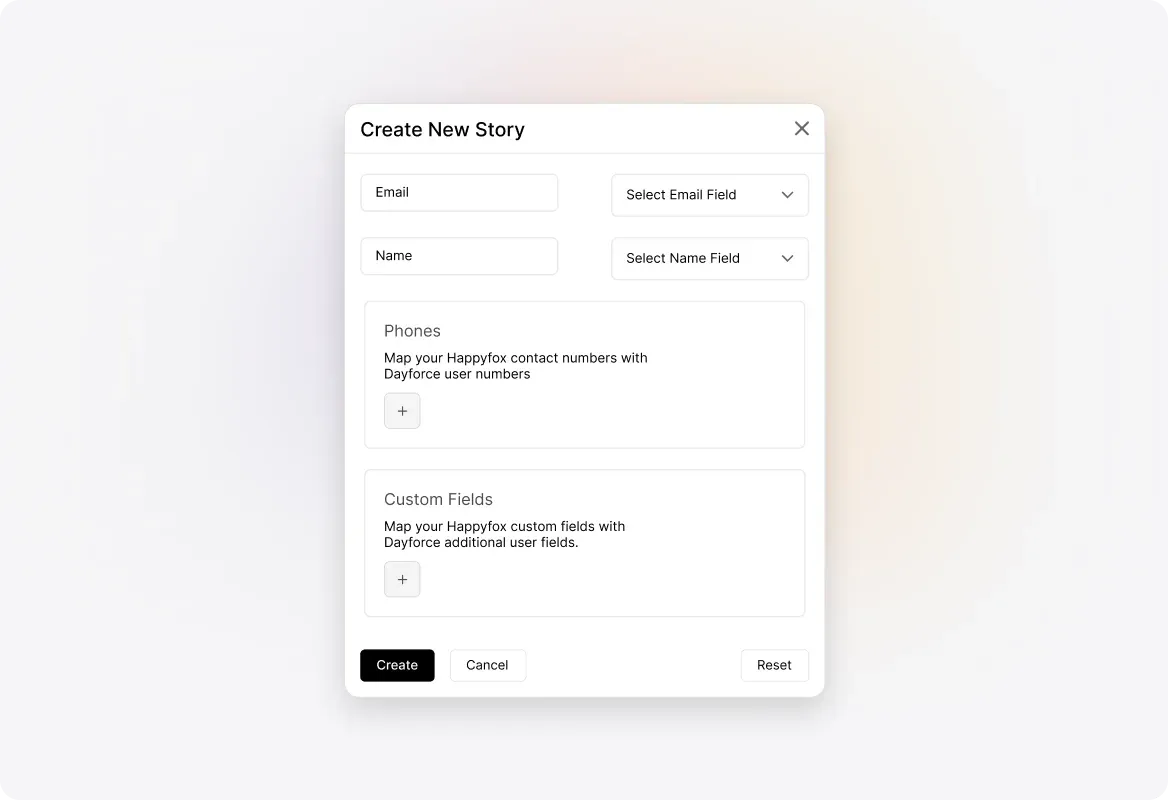
- Map mandatory fields including name, email, phone
- Configure custom field mappings for employee attributes
- Control overwriting of existing custom field values
- Handle multiple phone number contact mappings
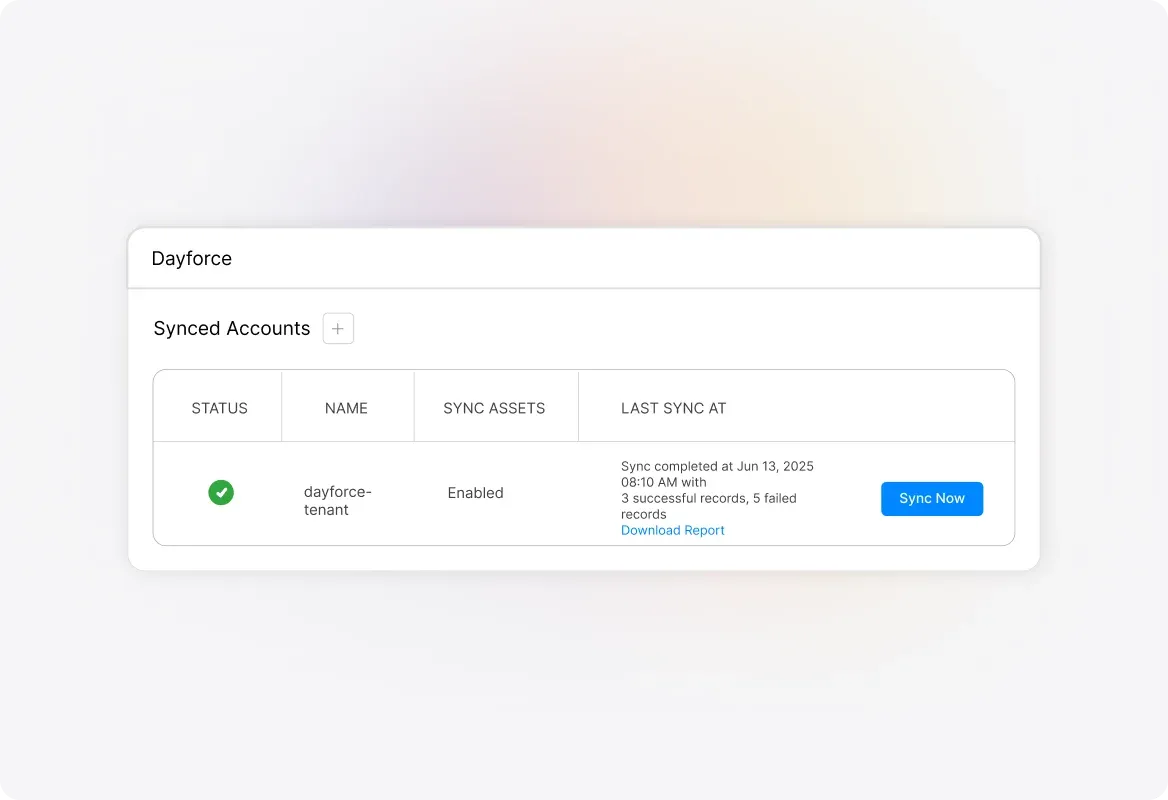
Sync Monitoring and Error Management
- View timestamps and record counts for operations
- Download CSV error logs with detailed failure reasons
- Track sync status showing existing vs new contacts
Contact Import Controls
- Enable or disable email notifications to contacts
- Configure one-way sync from Dayforce to HappyFox
- Manage sync account with disable and delete options
See More Integrations
Connect Your Tools With HappyFox
A happy roof that can accommodate all your favorite business apps.

USE CASES
FOR BUSINESSES
FOR INDUSTRIES
For Teams


Copyright ©2026 HappyFox Inc. All rights reserved.