Meet Every Response Commitment. Every Time.

SLA Management helps your team track response goals, catch potential breaches before they happen, and deliver the consistent service your customers expect.
darwinbox Dartmouth Planned Parenthood_Customer Logo Pinewood School_Customer Logo loanlogics Medipulse North Country Healthcare_Customer Logo Whirlpool_Customer Logo Improved Racing_Customer Logo Slam_Customer Logo Sonny's BBQ_Customer Logo Minnnetronix_Customer Logo renoworks_Customer Logo darwinbox Dartmouth Planned Parenthood_Customer Logo Pinewood School_Customer Logo loanlogics Medipulse North Country Healthcare_Customer Logo Whirlpool_Customer Logo Improved Racing_Customer Logo Slam_Customer Logo Sonny's BBQ_Customer Logo Minnnetronix_Customer Logo renoworks_Customer Logo darwinbox Dartmouth Planned Parenthood_Customer Logo Pinewood School_Customer Logo loanlogics Medipulse North Country Healthcare_Customer Logo Whirlpool_Customer Logo Improved Racing_Customer Logo Slam_Customer Logo Sonny's BBQ_Customer Logo Minnnetronix_Customer Logo renoworks_Customer Logo

Are Missed SLAs Hurting Your Customer Relationships?

When response commitments slip through the cracks, customer trust erodes fast. Without clear visibility into SLA performance, teams struggle to prioritize urgent tickets, leading to breaches that damage relationships and hurt your reputation. HappyFox SLA Management gives you the tools to define, track, and meet your service commitments—before problems escalate.

SLA Management: Your Commitment Keeper

HappyFox's SLA Management module lets you define service level agreements based on objectives, conditions, work schedules, and categories. Track performance against your goals and get alerted before breaches occur.

5

SLA Objectives

Track first response, assignment, next contact response, agent response, and resolution times.

100%

Visibility

See breach status on every ticket with visual indicators

Real-time

Monitoring

Dashboard shows tickets about to breach with live countdown timers

Define, Track, and Protect Your Service Commitments

Five Powerful SLA Objectives

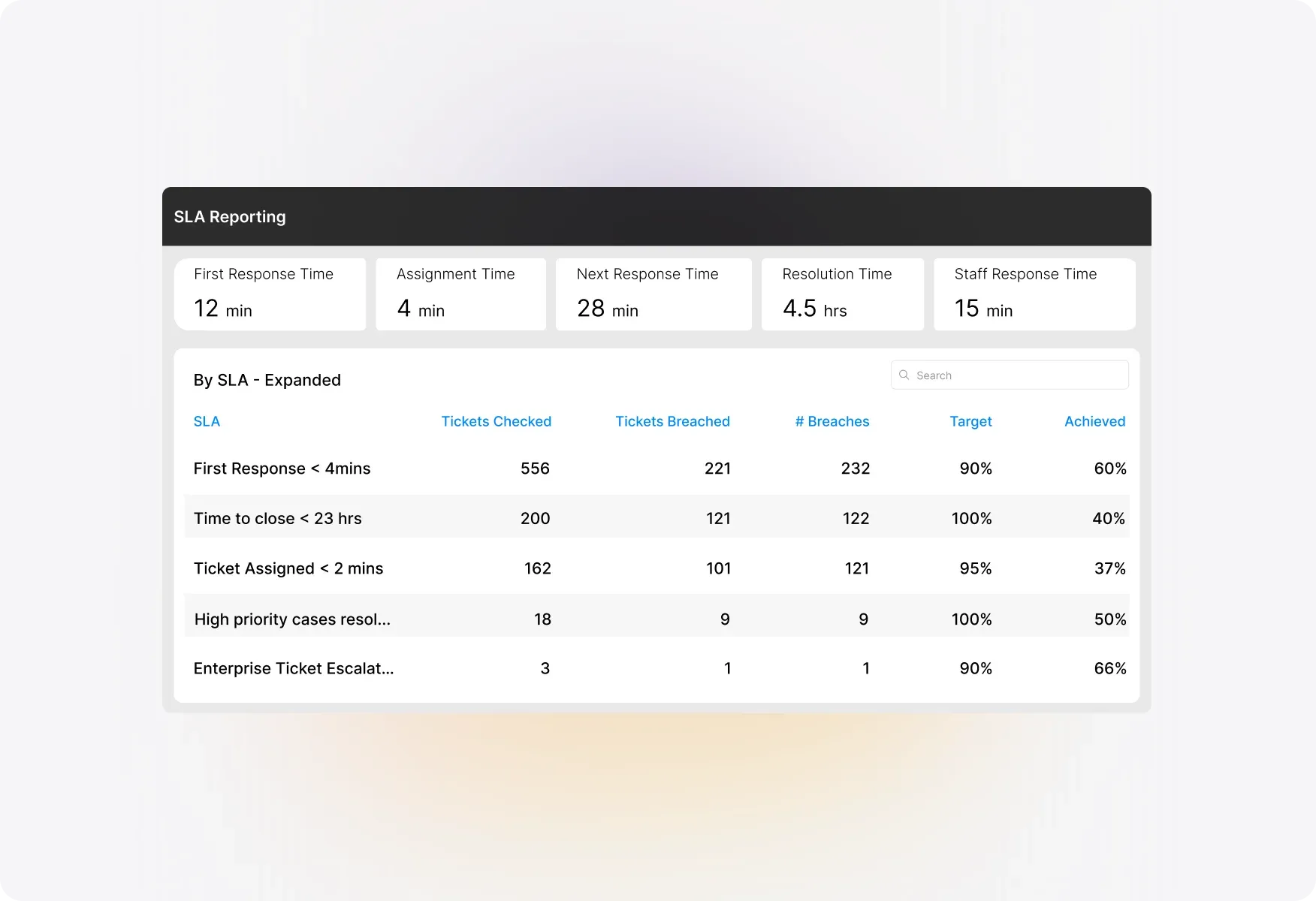
Track the metrics that matter most to your customers. Monitor First response time to ensure quick initial replies, Assignment time to guarantee tickets reach the right agent fast, Contact response time for ongoing conversations, Agent response time for internal collaboration, and Resolution time for end-to-end accountability
Five Powerful SLA Objectives

Flexible Condition-Based Rules

Apply SLAs precisely where they're needed. Define conditions based on ticket properties like priority, contact, or custom fields. Associate SLAs with specific categories and work schedules to ensure accurate tracking during business hours.
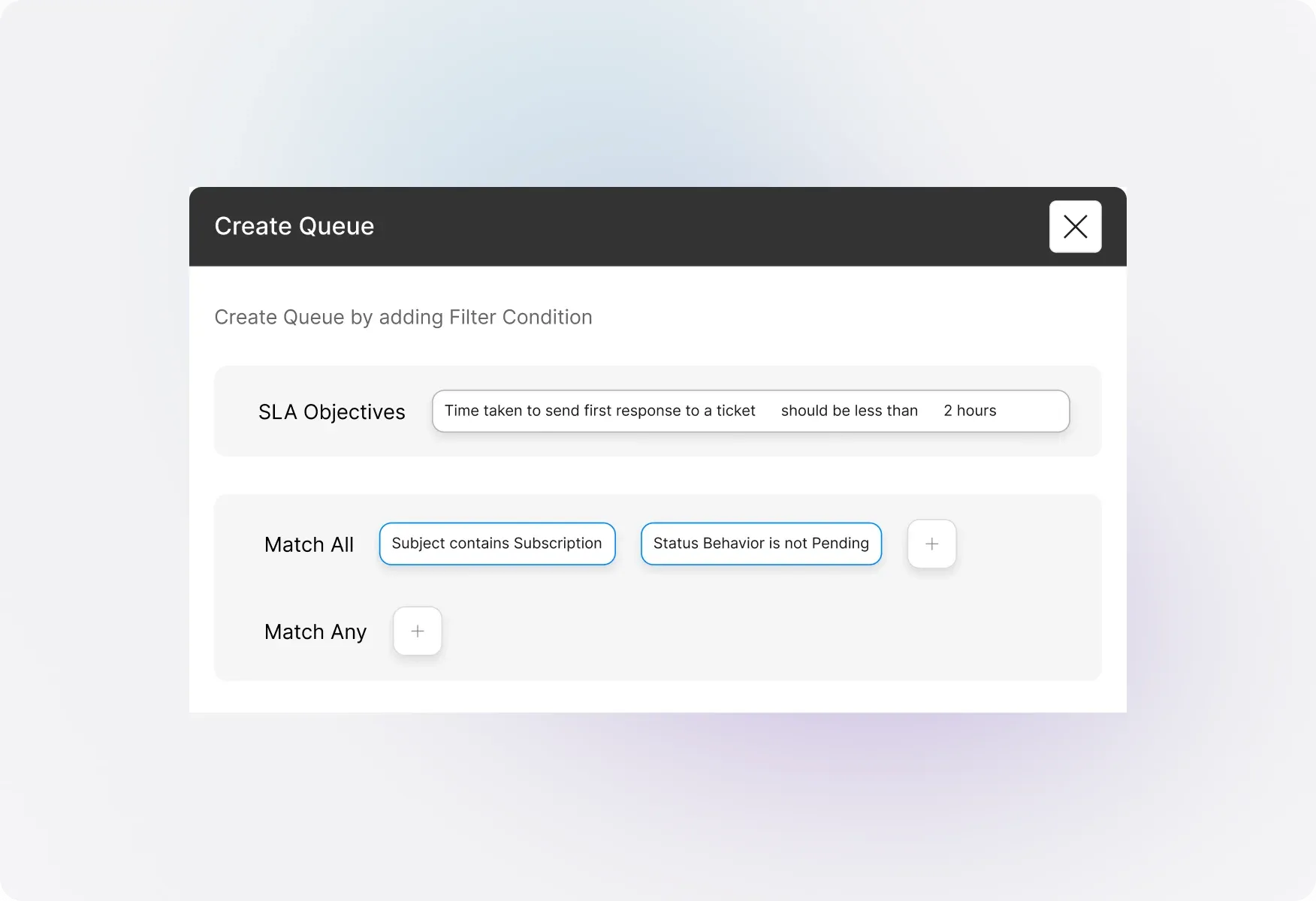
Flexible Condition-Based Rules

Proactive Breach Prevention

Catch potential breaches before they happen. The Overview Dashboard displays tickets approaching SLA limits with live countdown timers showing exactly how much time remains. Your team can prioritize effectively and take action before commitments are missed.
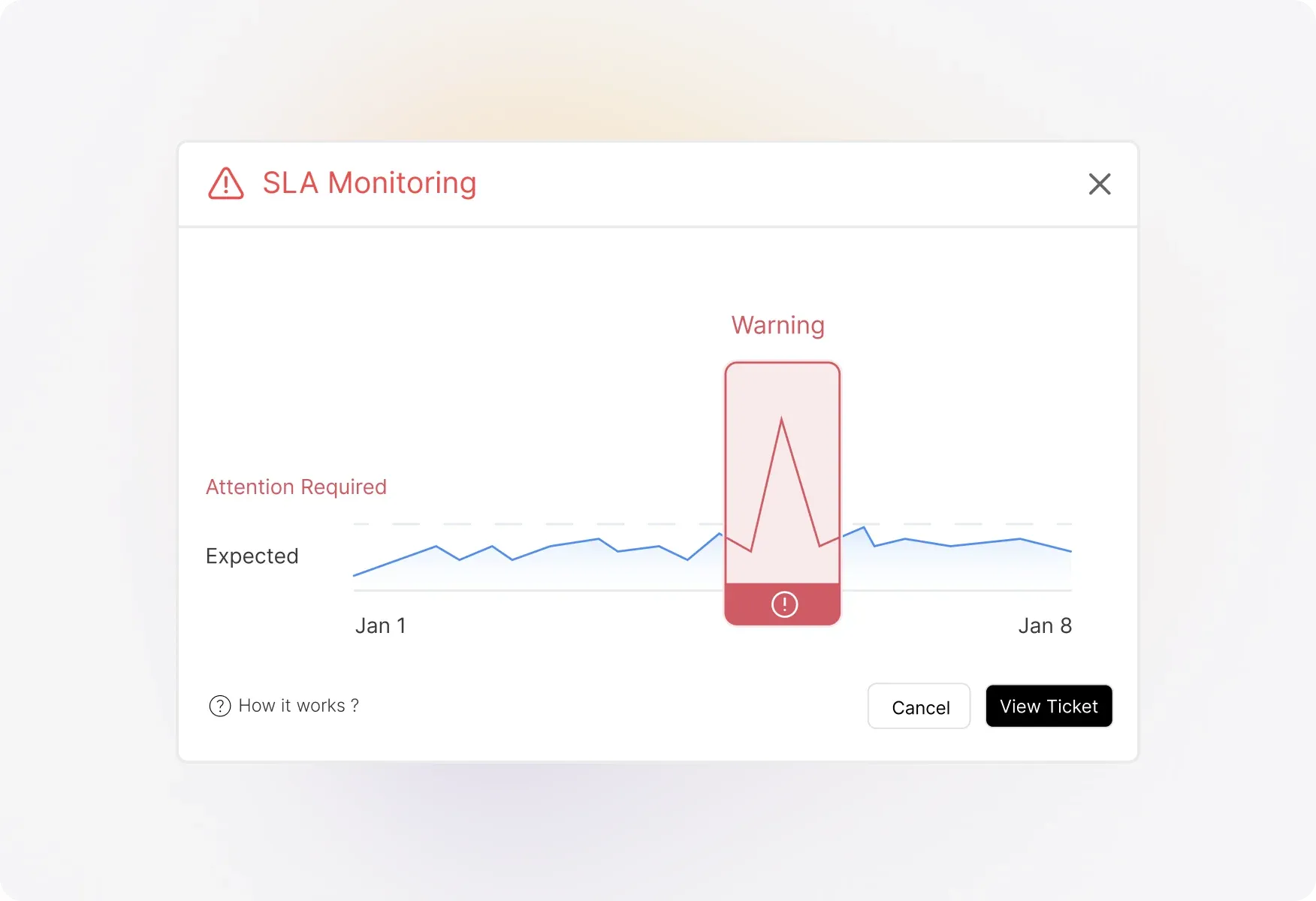
Proactive Breach Prevention

Instant Breach Identification

Spot breached tickets at a glance. Red alert indicators appear on tickets that have breached one or more SLAs, both in the ticket list and detail views. Filter your queue to show only breached tickets for immediate attention.
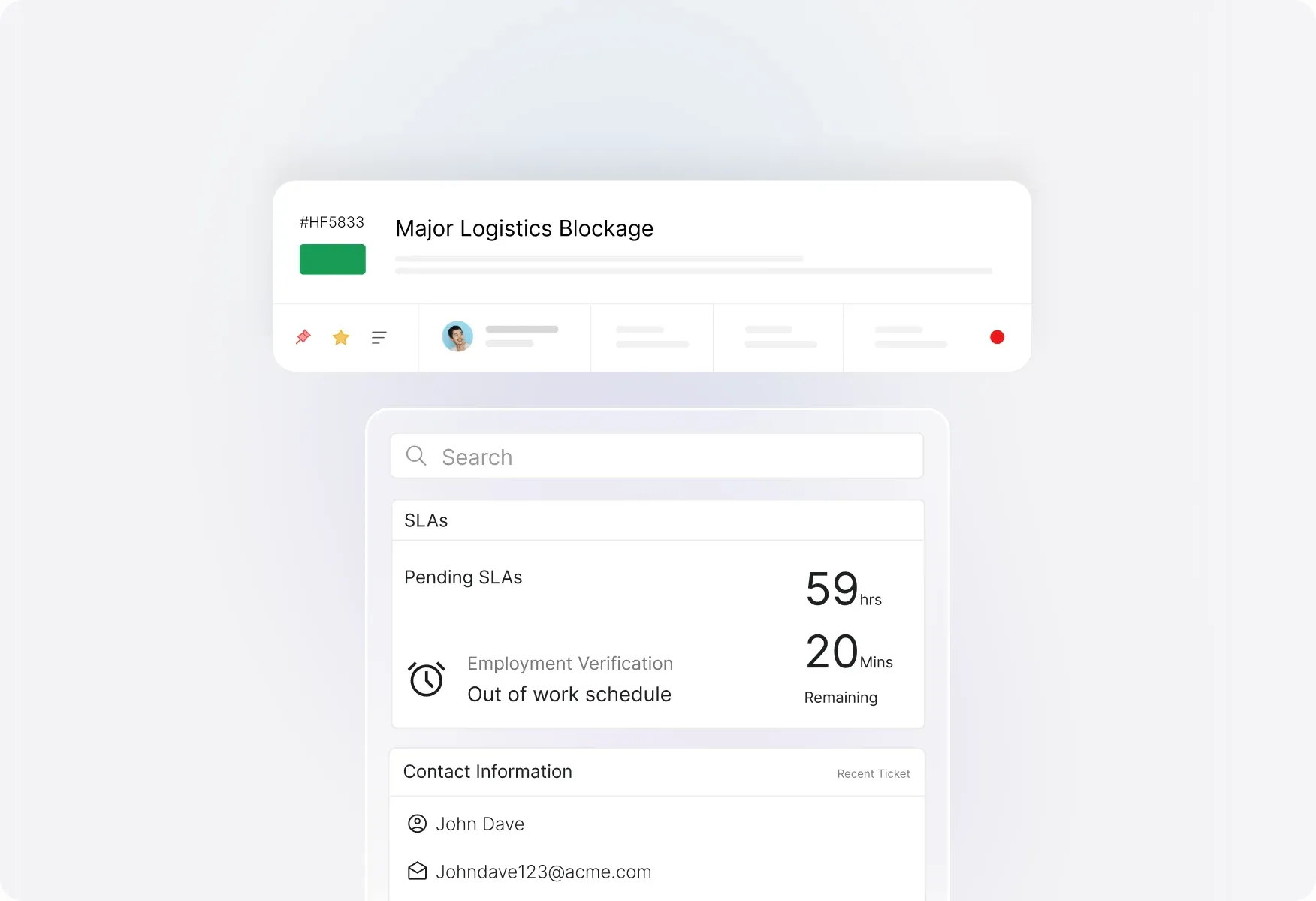
Instant Breach Identification

Automated Breach Notifications

Stay informed without constant monitoring. Configure email notifications to alert the right people the moment an SLA breach occurs, ensuring rapid response and accountability.
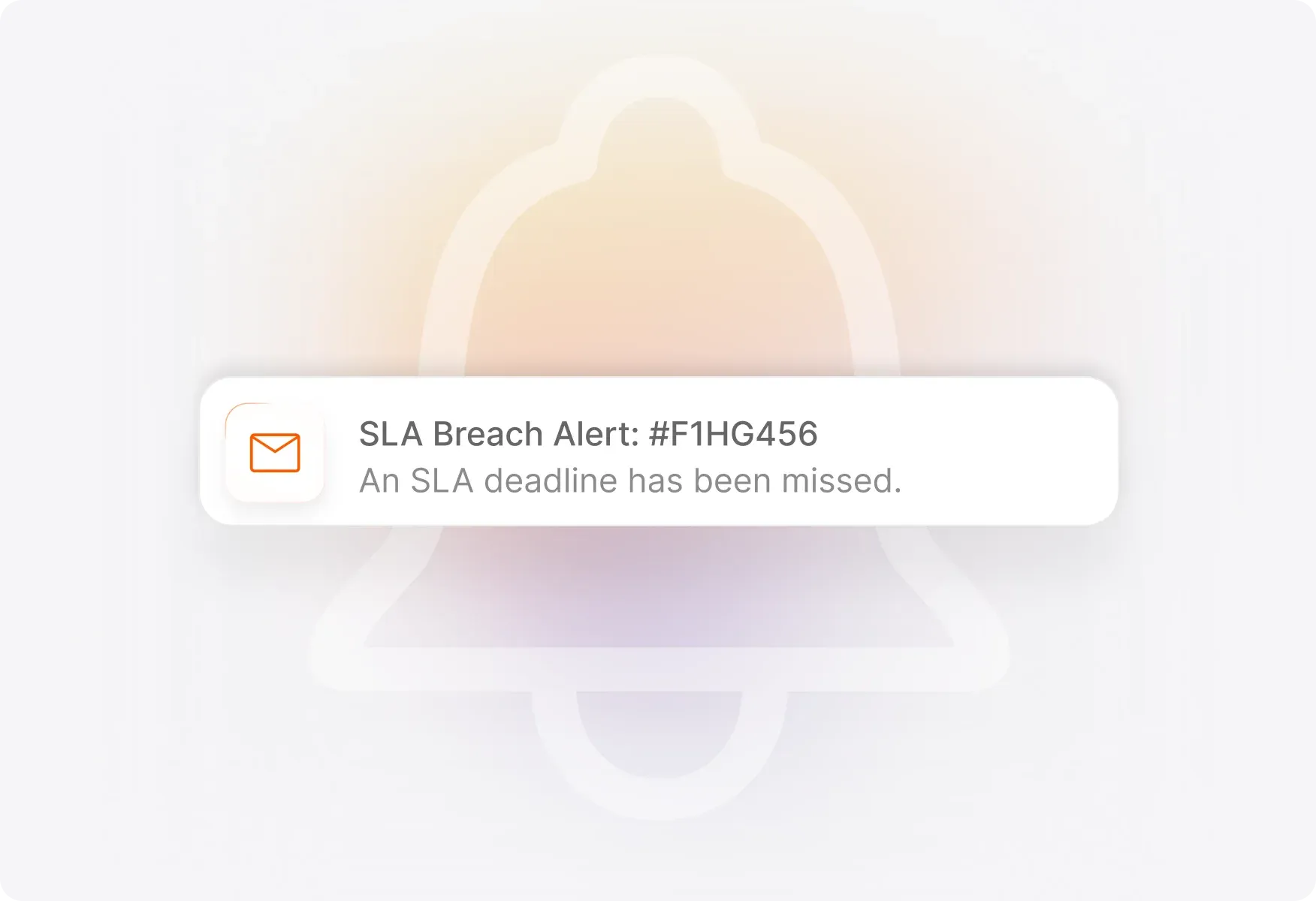
Automated Breach Notifications

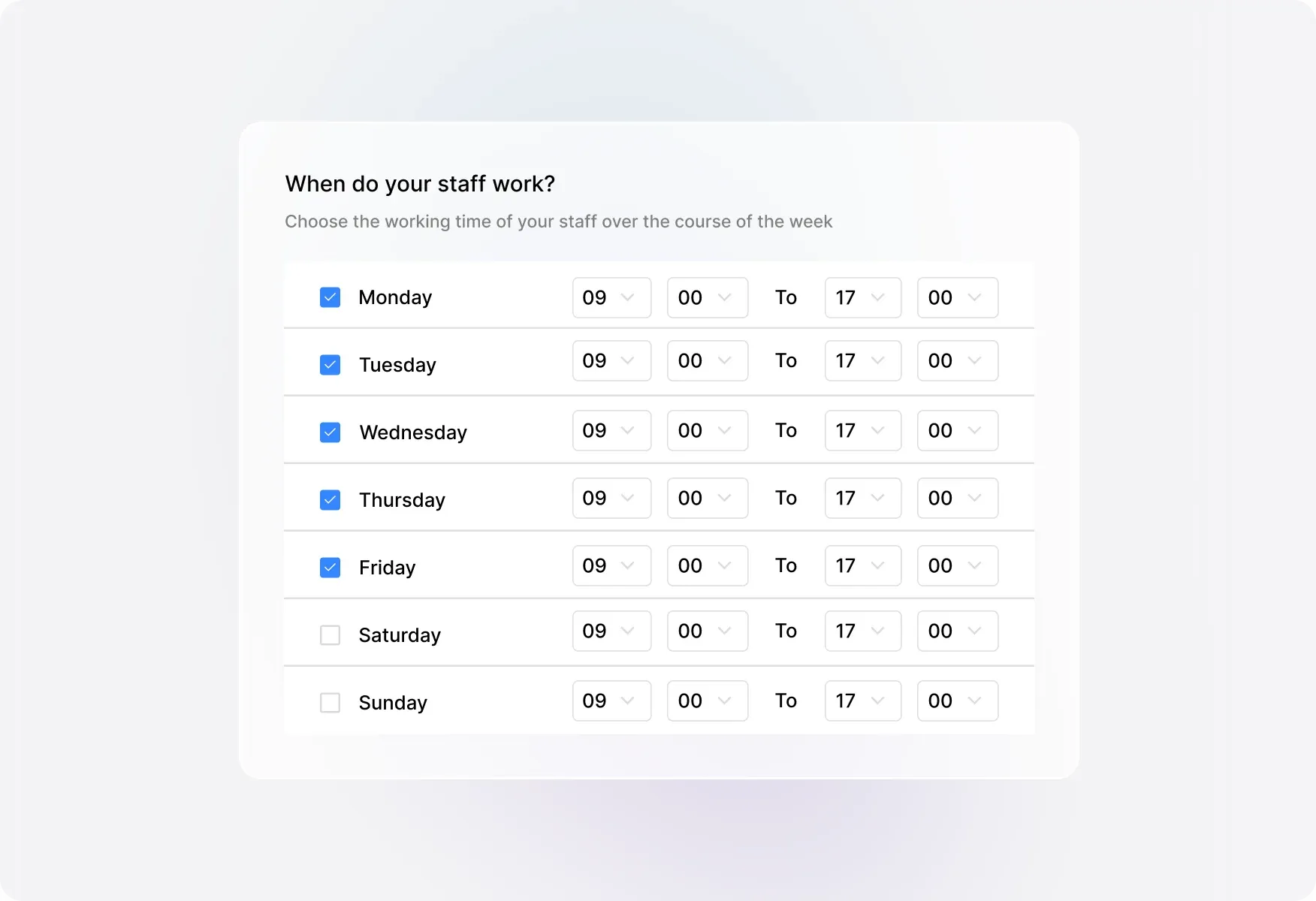
Work Schedule Integration

Track SLAs accurately against real working hours. Assign work schedules to each SLA and define exclusion statuses so time isn't counted when tickets are waiting on customers or in specific states.
Work Schedule Integration

FAQs

What SLA objectives can I track in HappyFox?
arrow
HappyFox supports five SLA objectives: First Response Time (time to send the first reply), Assignment Time (time to assign an unassigned ticket), Next Response Time (time to respond after a customer reply), Resolution Time (time to resolve the ticket), and Staff Response Time (time for internal staff responses).
Can I apply different SLAs to different types of tickets?
arrow
Yes. You can create multiple SLAs with different conditions based on ticket properties like priority, category, contact, or custom fields. Each SLA can be associated with specific categories and work schedules, giving you precise control over which tickets are monitored.
How do work schedules affect SLA tracking?
arrow
SLAs are calculated based on your assigned work schedule, so time outside business hours doesn't count against your targets. You can also define exclusion statuses—when a ticket is in an excluded status (like "Waiting on Customer"), the SLA clock pauses.
How can I see which tickets are about to breach?
arrow
HappyFox provides proactive breach monitoring through the Overview Dashboard. A dedicated section displays all tickets approaching their SLA limits, complete with live countdown timers showing exactly how many minutes remain before a breach occurs. This gives your team clear visibility to prioritize and act before commitments are missed.
How do I identify tickets that have already breached an SLA?
arrow
Breached tickets are clearly marked with a red alert indicator visible in both the ticket list and ticket detail pages. You can also use filters to display only tickets that have breached at least one SLA, making it easy to focus on urgent issues.
Can I get notified when an SLA is breached?
arrow
Yes. You can configure email notifications to alert agents, managers, or other stakeholders the moment an SLA breach occurs. This feature is available on Fantastic and above plans.

Ready to Meet Every Service Commitment?

Let us show you how SLA Management can help your team deliver consistent, reliable support.

footer-banner-image