

















11 Best Email Ticketing Software to Improve Response Time & SLA (2026)

Shalin
Founder & CEO HappyFox
March 06, 2026
Monday morning chaos: 247 unread support emails, three agents duplicating responses, VIP issues buried in the mess. Your manager demands response metrics, but you only have Gmail threads and angry customers calling about "lost" emails. With email volumes up 40% in two years, traditional inbox management is destroying customer relationships and team accountability.
The best email ticketing software eliminates this chaos by automatically converting every customer email into a structured, trackable ticket with clear ownership, smart routing, and performance tracking. Below, we compare the 11 best email ticketing software solutions for 2026 to help you choose the right platform for your team.
TL;DR:
The best email ticketing software converts incoming emails into structured, trackable tickets with automated routing, SLA monitoring, and performance reporting. It eliminates inbox chaos, prevents duplicate responses, and improves team accountability.
Top platforms like HappyFox, Zendesk, and Freshdesk offer varying levels of automation, scalability, and pricing - making them suitable for mid-market teams, enterprises, and growing support operations.
Best Overall for Structured Email Workflows:
HappyFox delivers strong email-to-ticket automation, SLA tracking, smart routing, and performance dashboards—ideal for growing mid-market support teams.
Best for Enterprise Scalability:
Zendesk offers highly customizable workflows, advanced automation, and extensive omnichannel capabilities for large organizations.
Best for Small to Mid-Sized Businesses:
Freshdesk provides accessible automation, intuitive setup, and cost-effective pricing for growing teams.
Best for Shared Inbox Collaboration:
Front balances email speed with structured ticket workflows, making it ideal for teams transitioning from Gmail-based collaboration.
Best Budget-Friendly Option:
Zoho Desk offers affordable plans with automation, time tracking, and CRM integration.
Best for CRM-Integrated Support:
HubSpot Service Hub connects email ticketing with marketing and sales data for unified customer visibility.
Best for IT & Internal Help Desks:
Jira Service Management is built for ITSM workflows, technical support teams, and internal service operations.
Best for Customer-Centric Email Support:
Help Scout emphasizes personalized email conversations while maintaining ticket organization.
How We Evaluated the Best Email Ticketing Software
To identify the best email ticketing software for 2026, we evaluated each platform based on the criteria that matter most to modern support teams managing growing email volumes.
How efficiently the system converts incoming emails into structured, trackable tickets with automatic data extraction and categorization.
Intelligent ticket assignment, workload balancing, escalation rules, and collision detection to prevent duplicate responses.
Built-in monitoring of response and resolution deadlines, with automated alerts and escalation triggers.
Internal notes, shared drafts, and team visibility features that support coordinated responses without customer confusion.
Real-time dashboards covering response times, resolution rates, workload distribution, and performance trends.
Ability to support growing teams, increasing ticket volume, multiple departments, and multi-brand email management.
Learning curve, onboarding time, and usability for both agents and managers.
Transparency, scalability of pricing, and suitability for startups, mid-market teams, and enterprise environments.
The tools below are ranked based on how well they balance automation depth, usability, reporting visibility, and scalability for real-world support operations.
11 Best Email Ticketing Software Solutions for 2026

HappyFox


HappyFox provides structured email ticketing software designed to eliminate inbox chaos and introduce workflow automation, smart routing, and SLA visibility for support managers. It balances enterprise-grade capabilities with ease of use, making it particularly suitable for mid-market and scaling teams.
Serving over 2,000 organizations across 70+ countries, HappyFox transforms chaotic email management into organized, efficient workflows through its signature ease of use and intuitive design. Known for its straightforward implementation and and minimal learning curve, the system allow teams to quickly establish sophisticated email ticketing processes without complex procedures.
HappyFox excels at preventing email bottlenecks through intelligent routing and collision detection while maintaining the unified agent workspace that support managers need for complete visibility into team performance and customer satisfaction trends.
Key Features
-
Intelligent Email Processing:
Automatically extracts customer data from email, categorizes issues by priority, and routes tickets based on content analysis and agent expertise
-
Smart Routing Engine:
Prevents email bottlenecks by balancing workload across agents while ensuring complex issues reach specialists
-
Multi-brand Email Management:
Handles different business units or product lines with separate email addresses, branding, and workflows while maintaining unified reporting
-
Collision Detection:
Enables real-time alerts and prevents duplicate responses when multiple agents access the same email ticket
-
Comprehensive SLA Management:
Includes automated escalation rules and notifications during deadline breaches
-
Template Library:
Offers extensive collection of response templates with dynamic personalization using customer data
-
Advanced analytics & reporting:
Covers response times, resolution rates, agent productivity, and customer satisfaction trends
-
Knowledge base Integration:
Enables agents to instantly access relevant articles and suggested responses based on email content analysis
-
Workflow automation:
Automatically assign, prioritize, and route emails based on customizable criteria including customer tier, issue type, and urgency level
Key Strengths
-
Intuitive Interface & Rapid Setup:
No steep learning curve or complex onboarding—get your support system running in under an hour with powerful features that don't require extensive training.
-
Customization Flexibility:
Adapts to any team or use case with deep customization across ticketing, support centers, workflows, automations, and reporting—going beyond one-size-fits-all solutions.
-
Comprehensive AI-Powered Support:
AI-driven productivity with instant ticket summaries, smart response suggestions, automatic resolution recommendations, priority detection, and knowledge base optimization.
-
Scalable & Transparent Pricing:
Flexible pricing that grows with your team—start small and scale effortlessly without hidden costs. Plus unlimited-agent plans with cost-saving potential for larger teams.
-
Exceptional Customer Support Culture:
Entire team, including leadership, is committed to your success—ensuring faster escalations, quicker resolutions, and direct access to decision-makers.
-
Enterprise Features Without Complexity:
Get all the functionality you need without unnecessary complexity, steep learning curves, or the overhead typically associated with enterprise solutions.
Best For
-
Mid-sized and growing organizations (50–500 employees) that need structured workflows, accountability, and scalable automation without enterprise complexity.
Pricing


If you need a ticketing system for customer support and collaborative email, HappyFox is the best there is!
Michael Ihns
President, Improved Racing

Zendesk
Zendesk provides enterprise-grade email ticketing with extensive customization options, making it suitable for organizations with unique email support requirements.
Key Features
-
Advanced Email Parsing:
Custom field extraction from email content with regular expressions
-
Workflow Automation:
Sophisticated triggers and actions for email routing and responses
-
Multi-brand Architecture:
Separate email addresses and branding for different business units
-
Email Integration APIs:
Deep integration capabilities with existing email infrastructure
-
Side Conversations:
Internal email coordination without customer visibility
-
Email Satisfaction Surveys:
Automated feedback collection with custom branding
-
Comprehensive Reporting:
Advanced analytics with custom email-focused dashboards
Best For
-
Enterprises with complex email ticketing customization needs.
Pricing
Recommended reading:
15 Best Zendesk Alternatives for Customer Support


Freshdesk
Freshdesk combines powerful email ticketing functionality with user-friendly design, making advanced features accessible to teams without technical expertise.
Key Features
-
One-Click Email Conversion:
Seamless transformation of emails into organized tickets
-
Smart Assignment:
Automatic distribution based on agent skills and current workload
-
Email Collaboration:
Internal notes and mentions without cluttering customer communications
-
Automated Acknowledgments:
Instant email confirmations with ticket numbers and expectations
-
Email Scheduling:
Send responses at optimal times for customer engagement
-
Template Management:
Easy-to-use template creation with merge tags and formatting
-
Mobile Email Management::
Full email ticketing functionality on mobile devices
Best For
-
Teams wanting intuitive email ticketing without complexity
Pricing
Recommend Reading
Learn how HappyFox vs Freshdesk compare

Help Scout
Help Scout treats email ticketing as conversations rather than transactions, creating more personal customer relationships while maintaining organized workflows.
Key Features
-
Conversation Threading:
Natural email flow that feels personal to customers
-
Shared Email Drafts:
Team collaboration on responses before sending
-
Customer Profiles:
Complete email history and context for personalized service
-
Email Tagging System:
Flexible organization with custom categories and priorities
-
Satisfaction Ratings:
Simple email-based feedback collection
-
Email Templates:
Personal tone templates that don't feel automated
-
Team Assignment:
Clear ownership with seamless handoffs when needed
Best For
-
Customer-focused teams prioritizing personal email interactions
Pricing
Deep Dive:
11 Best HelpScout Alternatives 2025


Zoho Desk
Zoho Desk leverages artificial intelligence to enhance email ticketing efficiency while maintaining competitive pricing for growing businesses.
Key Features
-
AI-Powered Classification:
Automatic email categorization using machine learning
-
Zia AI Assistant:
Intelligent response suggestions and email composition help
-
Sentiment Analysis:
Automatic detection of customer emotions for priority assignment
-
Multi-language Support:
Email handling in multiple languages with auto-detection
-
Predictive Analytics:
Email volume forecasting and trend analysis
-
Workflow Automation:
Conditional logic for complex email routing scenarios
-
Knowledge Integration:
AI-suggested articles based on email content
Best For
-
Budget-conscious teams wanting AI-enhanced email ticketing
Pricing
Compare Now:
HappyFox vs Zoho Desk - Which One Stands Out?


Front
Front enhances traditional email with powerful collaboration features, perfect for teams that prefer email-like interfaces with added functionality.
Key Features
-
Shared Email Inbox:
Team visibility into all customer emails with collaboration features
-
Email Assignment:
Clear ownership tracking with visual indicators
-
Internal Comments:
Team discussion on emails without customer visibility
-
Shared Drafts:
Collaborative email composition with version control
-
Email Rules:
Automated organization without leaving familiar email environment
-
Performance Analytics:
Individual and team email metrics
-
Integration Hub:
Connections with 50+ business applications
Best For
-
Teams needing collaborative email management with familiar workflows
Pricing
Explore Now:
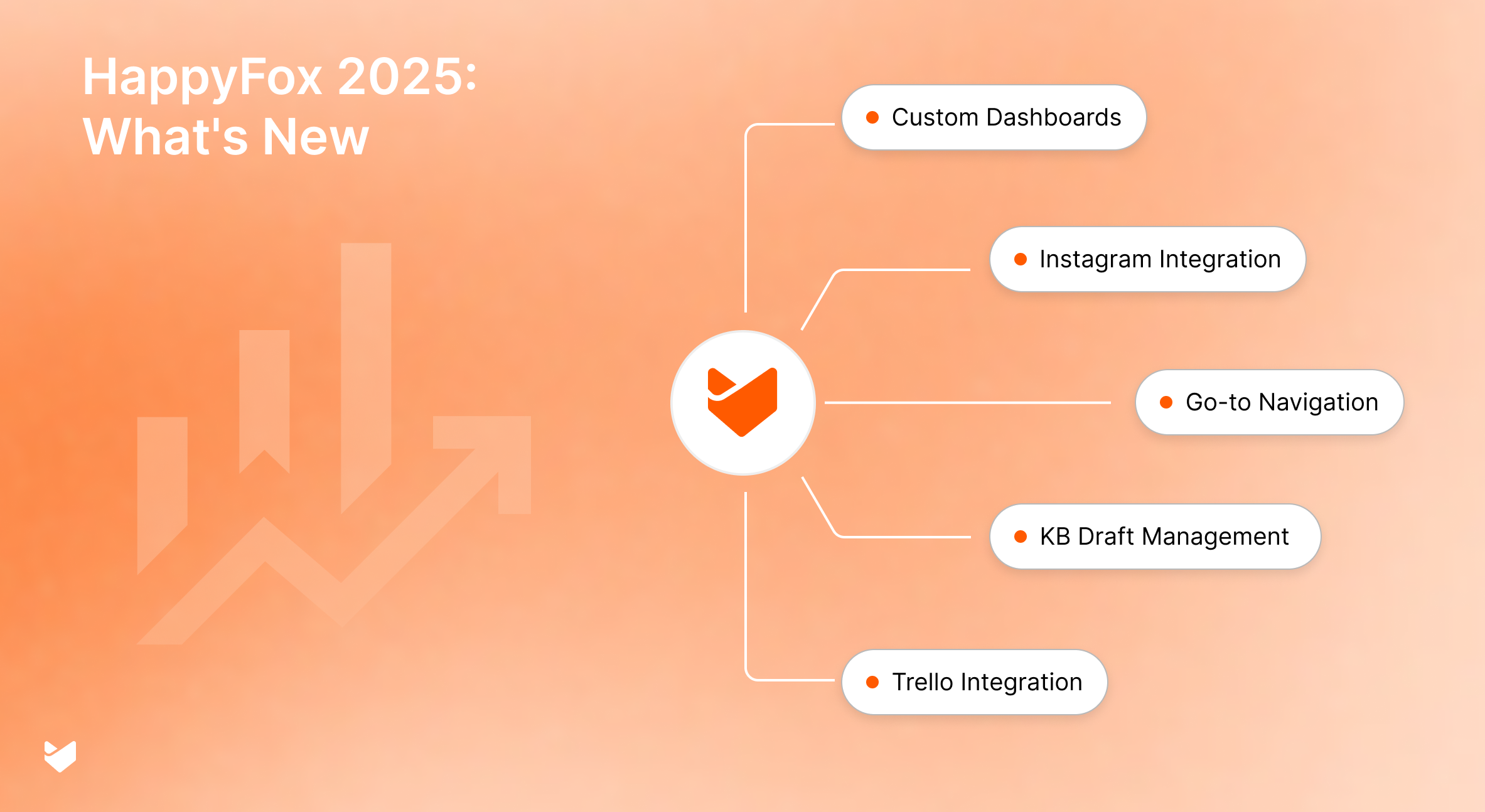
Top 5 HappyFox Help Desk Features Released in 2025

HubSpot
HubSpot Service Hub provides email ticketing deeply connected to customer relationship management, offering complete context for every email interaction.
Key Features
-
CRM Integration:
Email tickets automatically linked to customer records
-
Personalized Templates:
Dynamic content insertion using CRM data
-
Lifecycle-Based Workflows:
Email automation triggered by customer journey stage
-
Conversation History:
Complete email interaction tracking across all touchpoints
-
Team Collaboration:
Shared email management with CRM context
-
Escalation Management:
Automated manager notifications for email issues
-
Performance Tracking:
Email support metrics integrated with sales and marketing data
Best For
-
Businesses integrating email ticketing with comprehensive CRM data
Pricing
Need help deciding?
Compare HappyFox vs Hubspot.

Intercom
Intercom transforms traditional email ticketing into dynamic conversations, blending email with chat-like immediacy for enhanced customer engagement.
Key Features
-
Unified Messaging:
Email integrated with chat and other communication channels
-
Real-time Collaboration:
Team members can collaborate on email responses instantly
-
Behavioral Triggers:
Email sequences based on customer actions and preferences
-
Conversation Routing:
Skill-based assignment with intelligent load balancing
-
Customer Context:
Rich profiles showing complete email interaction history
-
A/B Testing:
Optimize email response templates and timing
-
Engagement Analytics:
Detailed metrics on email conversation effectiveness
Best For
-
Modern businesses emphasizing real-time email conversations
Pricing
Detailed breakdown:
Intercom vs HappyFox

LiveAgent
LiveAgent provides comprehensive email ticketing while maintaining flexibility to handle other communication channels from a unified platform.
Key Features
-
Universal Inbox:
Email integration with chat, phone, and social media channels
-
Email Automation:
Rules and triggers for efficient email workflow management
-
Time Tracking:
Detailed monitoring of email resolution times
-
Dynamic Templates:
Email responses with personalized content insertion
-
SLA Management:
Email-specific service level agreements with escalation alerts
-
Customer Portal:
Self-service options that reduce email ticket volume
-
Audit Trails:
Complete email interaction history for compliance and analysis
Best For
-
Organizations needing email ticketing within multi-channel support strategy
Pricing
Learn More:
HappyFox vs LiveAgent - Know how they compare

Kayako
Kayako approaches email ticketing from a customer journey perspective, understanding how email support fits into the complete customer experience.
Key Features
-
Customer Timeline:
Email interactions viewed within complete customer journey context
-
Journey Mapping:
Understanding how email support affects overall customer experience
-
Conversation Threading:
Email exchanges tracked across multiple interactions over time
-
Behavioral Insights:
Email response patterns influence future customer engagement
-
Satisfaction Tracking:
Email support quality measurement within journey context
-
Team Collaboration:
Complex email issue resolution with journey awareness
-
Predictive Routing:
Email assignment based on customer history and preferences
Best For
-
Customer journey-focused organizations tracking email interactions holistically
Pricing
You might also like:
HappyFox vs Kayako - The Better Support Solution?


Helpwise
Helpwise focuses on making email ticketing accessible and effective for small businesses without overwhelming complexity or enterprise pricing.
Key Features
-
Shared Email Management:
Team collaboration on customer emails without complexity
-
Simple Assignment:
Straightforward email ownership and tracking
-
Basic Automation:
Essential email routing and response automation
-
Template Library:
Email response templates for common inquiries
-
Performance Metrics:
Essential analytics for email support improvement
-
Customer Satisfaction:
Email-based feedback collection and tracking
-
Integration Options:
Connections with popular small business tools
Best For
-
Small teams needing straightforward, affordable email ticketing
Pricing
We also recommend reading:
Help Desk Software
Help Desk Software – Feature Evaluation Scorecard

Features to Evaluate in Email Ticketing Systems
The best email ticketing software goes beyond basic inbox organization. It introduces structured workflows, automation, and performance visibility that traditional email tools or shared inbox solutions cannot provide. When evaluating email ticketing systems, prioritize these essential capabilities:
-
Automatic Email-to-Ticket Conversion:
Every incoming email should instantly convert into a structured ticket with a unique ID, timestamp, and captured customer data. This ensures no inquiry is lost and every interaction is trackable.
-
Intelligent Email Parsing:
Advanced systems automatically extract customer information, categorize issues, detect urgency, and tag tickets appropriately. This reduces manual sorting and improves response prioritization.
-
Smart Routing and Assignment:
Look for automated ticket routing based on content, customer tier, agent expertise, and workload balancing. Skill-based assignment ensures complex issues reach the right team member quickly.
-
Collision Detection:
Built-in safeguards should prevent multiple agents from responding to the same ticket simultaneously, eliminating duplicate replies and customer confusion.
-
SLA Management and Escalation:
Service level agreement tracking is critical for growing support teams. Automated escalation rules, deadline monitoring, and real-time alerts help maintain consistent response and resolution targets.
-
Workflow Automation:
Modern email help desk software should allow customizable automation rules to assign, prioritize, escalate, and update tickets without manual intervention.
-
Internal Collaboration Tools:
Agents must be able to leave internal notes, tag teammates, and collaborate on complex issues without exposing internal discussions to customers.
-
Performance Reporting and Dashboards:
Comprehensive analytics should include response time, resolution rate, SLA compliance, workload distribution, and trend analysis. Real-time dashboards give managers visibility into team performance and bottlenecks.
Choosing a platform with these capabilities ensures your email support operation remains scalable, accountable, and efficient as ticket volume increases.
Benefits of Implementing Email Ticketing Systems
-
Organizational Efficiency Gains:
Email ticketing systems transform chaotic email management into structured workflows. Automatic ticket creation, intelligent routing, and clear ownership eliminate the confusion that plagues traditional email support. Teams can handle higher volumes with existing staff while maintaining service quality.
-
Enhanced Response Time Management:
Automated prioritization and SLA monitoring ensure urgent customer emails receive immediate attention while maintaining organized queues for all inquiries. Real-time dashboards provide visibility into response time performance and bottlenecks.
-
Improved Team Accountability:
Every email becomes a trackable ticket with clear ownership, status updates, and resolution timelines. Managers can monitor individual and team performance while agents have transparent visibility into their responsibilities and workload.
-
Consistent Customer Experience:
Email templates, standardized workflows, and knowledge base integration ensure customers receive professional, consistent responses regardless of which agent handles their inquiry. Brand voice and service standards are maintained across all interactions.
-
Comprehensive Performance Analytics:
Detailed reporting on response times, resolution rates, customer satisfaction, and agent performance provides data-driven insights for continuous improvement. Historical trends help with capacity planning and process optimization.
-
Scalable Operations:
Email helpdesk grows with your business, handling increasing volumes without proportional staff increases. Automation and self-service options help manage growth efficiently while maintaining service quality.
Learn More: Best Practices of Implementing a Ticketing System
How to Choose the Right Email Ticketing Software
Selecting the best email ticketing software requires more than comparing feature lists. The right solution should align with your team size, email volume, workflow complexity, and long-term growth plans.
-
Analyze Your Current Email Support Workflow:
Document how your team currently manages incoming emails. Identify bottlenecks such as missed SLAs, duplicate responses, lack of ownership, or reporting limitations. Understanding your baseline performance helps define improvement goals.
-
Define Must-Have Features:
Prioritize essential capabilities such as automated email-to-ticket conversion, smart routing, collision detection, SLA management, workflow automation, and performance dashboards. Avoid overpaying for features that don’t align with your support model.
-
Evaluate Scalability:
Ensure the platform can handle increasing email volume, additional agents, and multi-department workflows. Mid-market organizations should prioritize systems that scale without requiring complex reconfiguration.
-
Assess Integration Requirements:
Confirm compatibility with CRM systems, email providers (such as Gmail or Outlook), and collaboration tools. Seamless integrations reduce operational friction and improve data visibility.
-
Test Usability and Agent Experience:
Choose a solution that is intuitive for agents and managers. A steep learning curve can delay adoption and reduce productivity.
-
Review Vendor Support and Reliability:
Implementation support, training resources, uptime reliability, and responsive customer service are critical for long-term success.
A structured evaluation process ensures you select an email ticketing solution that improves efficiency, strengthens SLA compliance, and supports sustainable growth.
Common Mistakes to Avoid When Choosing Email Ticketing Software
-
Choosing Based on Price Alone:
Low-cost tools may lack automation depth, SLA management, and reporting visibility.
-
Ignoring Workflow Automation:
Basic shared inbox tools do not provide structured routing or escalation logic required for scaling teams.
-
Overlooking Integration Requirements:
Failure to confirm CRM and email provider compatibility can disrupt workflows.
-
Underestimating Scalability Needs:
Solutions that work for small teams may struggle under growing email volumes.
-
Skipping Trial Evaluation:
Testing the platform with real workflows ensures usability and adoption readiness.
Conclusion
Choosing the best email ticketing software is critical for teams managing growing support volumes and rising customer expectations. The right platform converts every incoming email into a structured, trackable ticket while automating routing, enforcing SLA compliance, and providing real-time performance visibility.
Whether your priority is scalability, collaboration, CRM integration, or budget efficiency, selecting a solution aligned with your workflow complexity and growth plans ensures long-term operational success.
By implementing a structured email ticketing system, support teams can eliminate inbox chaos, improve response times, strengthen accountability, and scale efficiently without increasing headcount.
Evaluate your current email support process, compare automation depth and reporting capabilities carefully, and choose a platform that supports both your present needs and future growth.


FAQs
What makes email ticketing software different from regular help desk software?
Email ticketing software specializes specifically in converting and managing email communications as structured tickets, focusing on email workflow optimization. Regular help desk software is broader, typically including email ticketing alongside other channels like chat, phone, and social media support, plus additional features like knowledge bases and customer portals.
What is the best email ticketing software?
The best email ticketing software depends on your team size, email volume, and workflow complexity. Leading platforms offer automated email-to-ticket conversion, smart routing, SLA tracking, collision detection, and reporting dashboards to help teams scale efficiently while maintaining accountability and response-time performance.
How long does it take to implement email ticketing software?
Implementation time varies by platform and team size. Many cloud-based solutions can be configured within a few days, while larger organizations with multiple integrations and workflow rules may require several weeks for full deployment.
Can email ticketing software integrate with Gmail and Outlook?
Yes. Most modern email ticketing systems integrate directly with Gmail, Outlook, and Microsoft 365. They can sync emails, preserve conversation history, and automate ticket creation without disrupting existing workflows.
Is email ticketing software suitable for small teams?
Yes. Many platforms offer entry-level plans designed for small teams transitioning from shared inbox tools. These systems provide structure and accountability without requiring complex setup.