Employee name → Contact name
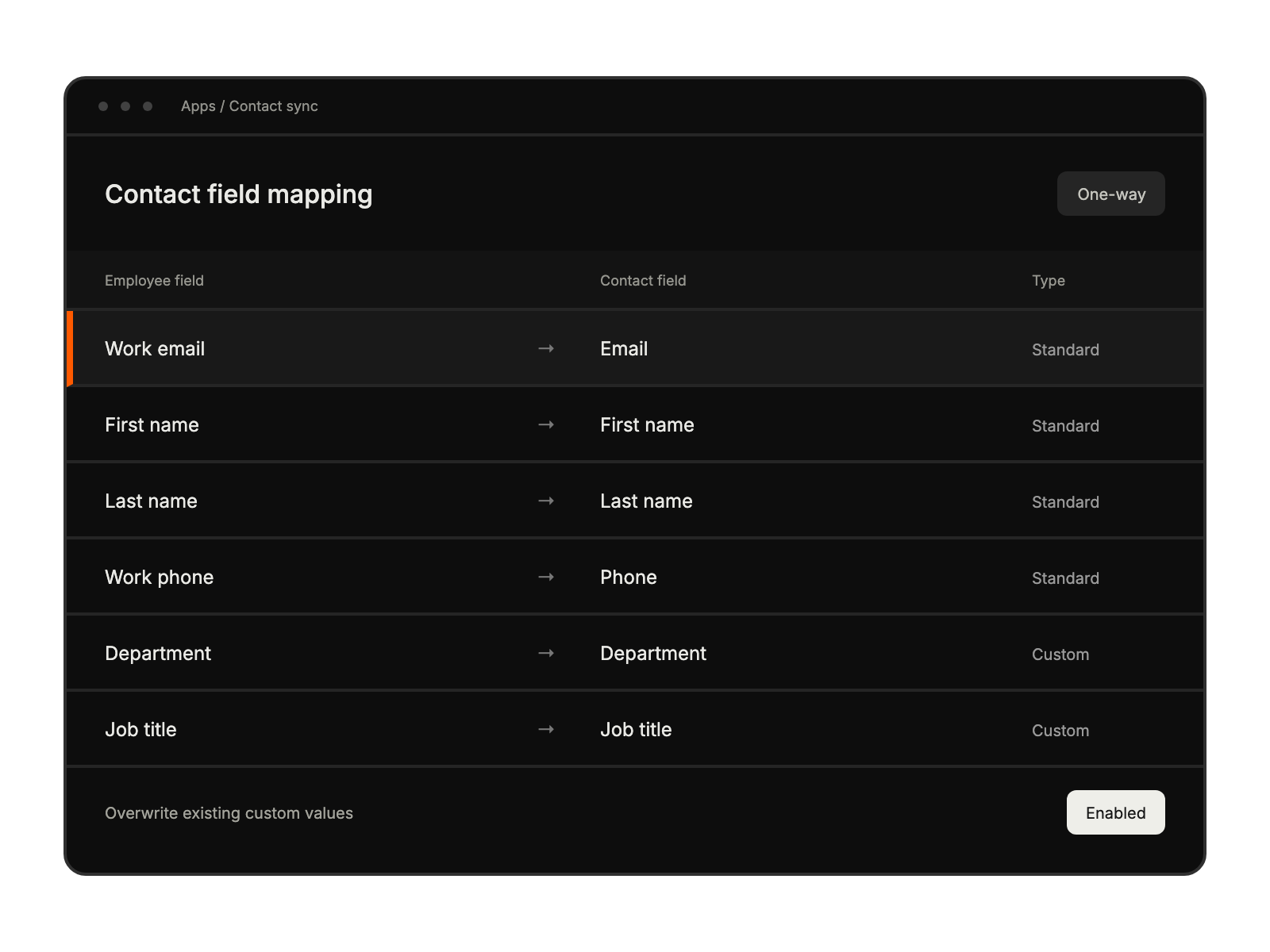
Map the Workday employee name to the HappyFox contact name.
 Help Desk
HappyFox Help Desk integration
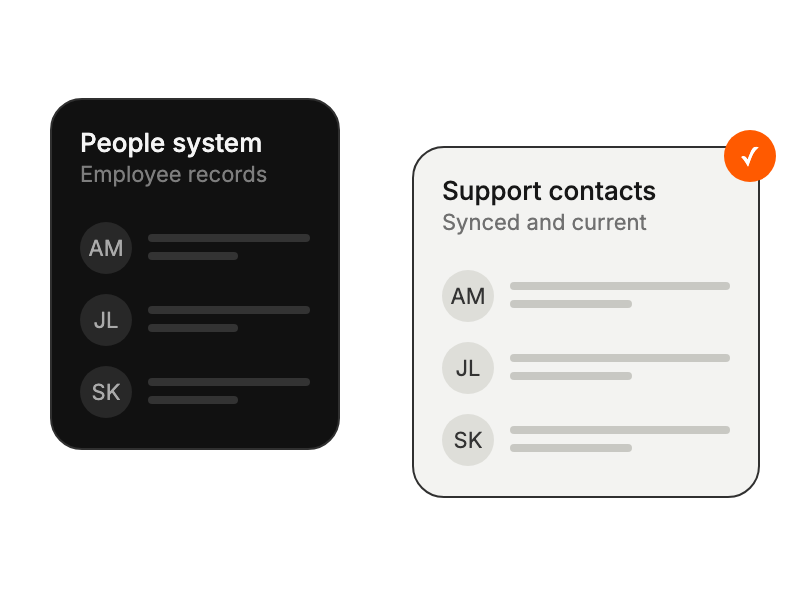
Sync Workday employees into HappyFox contact records.

Map the Workday employee name to the HappyFox contact name.
Map the employee work email to the HappyFox contact email.
Map the employee work phone to the HappyFox contact phone.
Map additional Workday worker attributes to HappyFox custom contact fields.
Create the integration user, security group, domain permissions, and API client described in the setup guide.
Install Workday in HappyFox and enter the required tenant, endpoint, and client credentials.
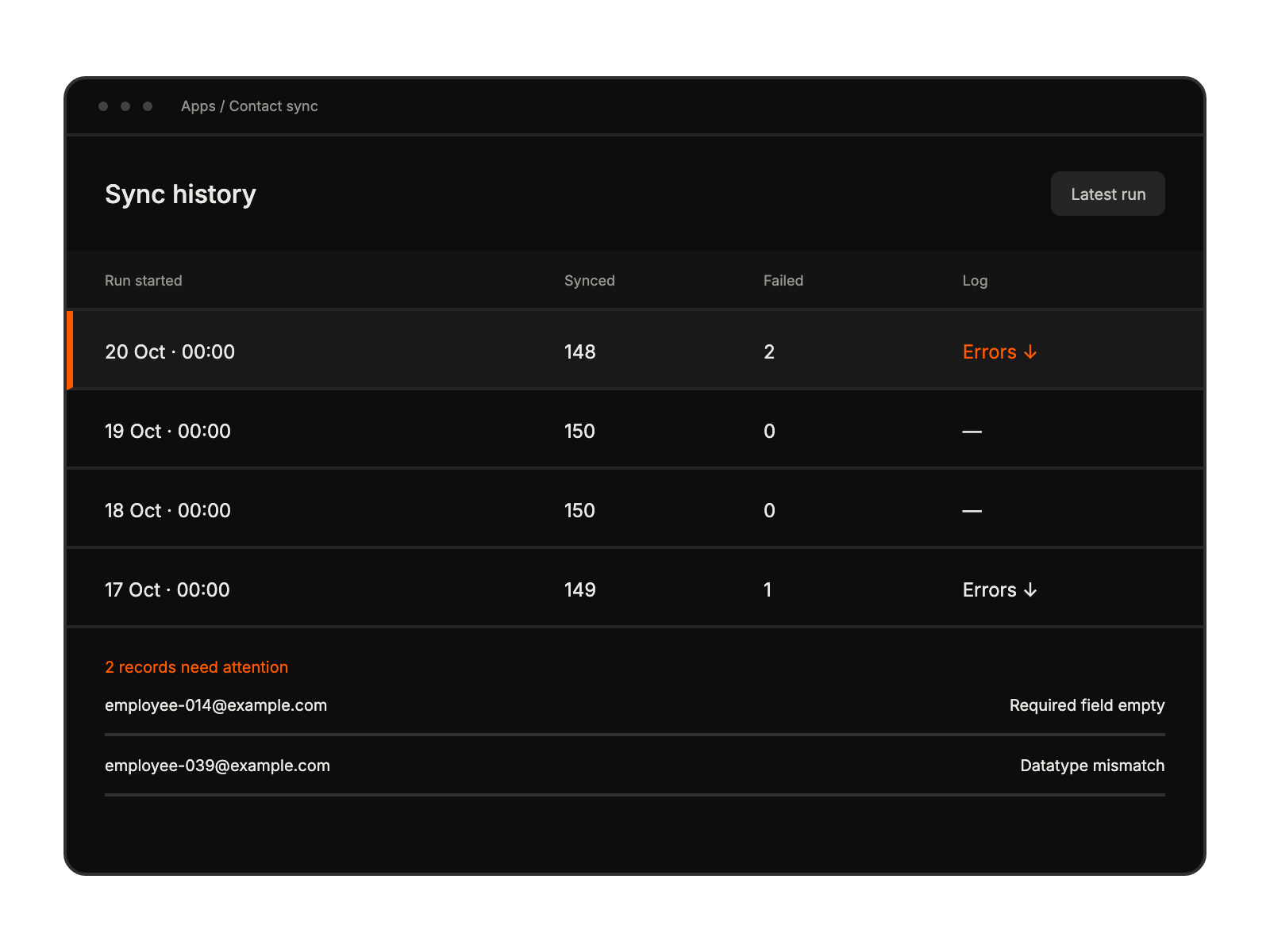
Save field mappings and overwrite settings, then check synchronization results.
Maintain accurate employee contact records for internal support and service requests.
Keep support contacts aligned with worker information managed in Workday.
Access current employee details for faster, more personalized ticket resolution.
Configure field mapping, synchronization controls, permissions, and error monitoring.
The automatic sync runs daily at 12:00 AM based on the HappyFox account timezone. Saving the integration configuration also triggers synchronization.
The integration is available on Pro, Enterprise Pro, and Unlimited Agent plans.
The HappyFox agent role needs Manage Apps permission. Workday configuration also requires the appropriate integration user, security group, domain permissions, API client, and credentials.